Language
SCOPEDConversation practice that does not punish you for skipping a day. No streaks, no guilt, no leaderboard.
Ships when
Speech on-device or nothing — the same rule the PDF app lives by.
What we build for ourselves
These are ours — free, ad-funded, and built to the same standard we hold client work to. PDF Master is finished and in production. It is not on any store yet, so there is no download button on this page.
We make our own products to keep the skill sharp. The work we actually get paid for is building apps for businesses — $4,900 to $24,900.
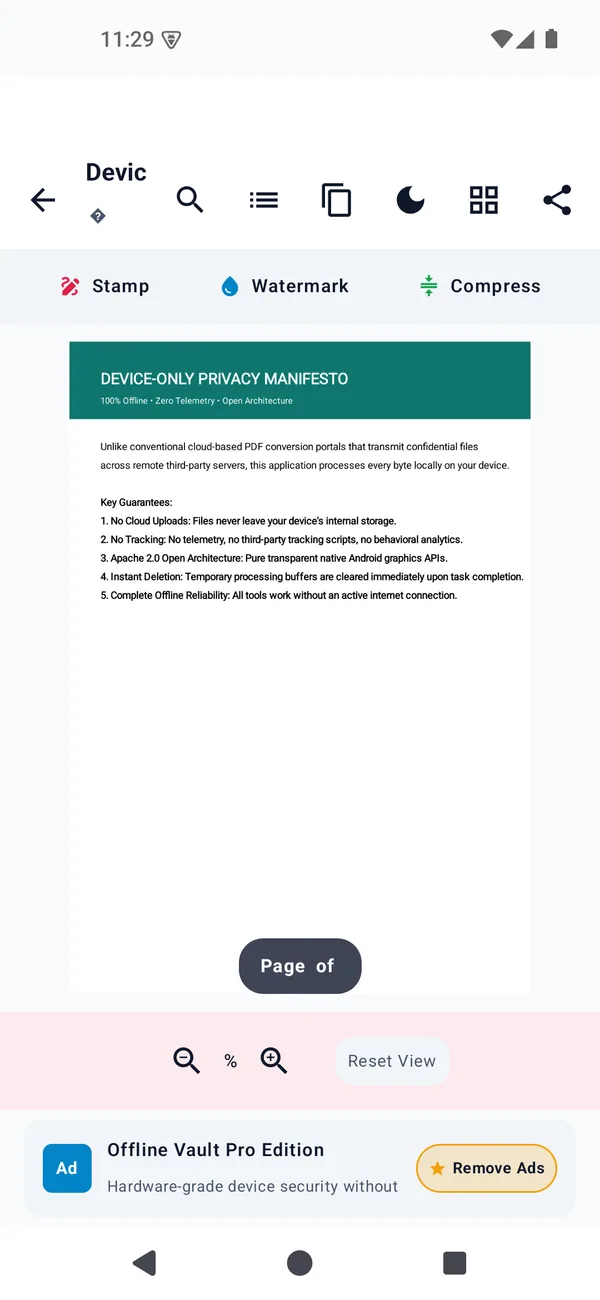
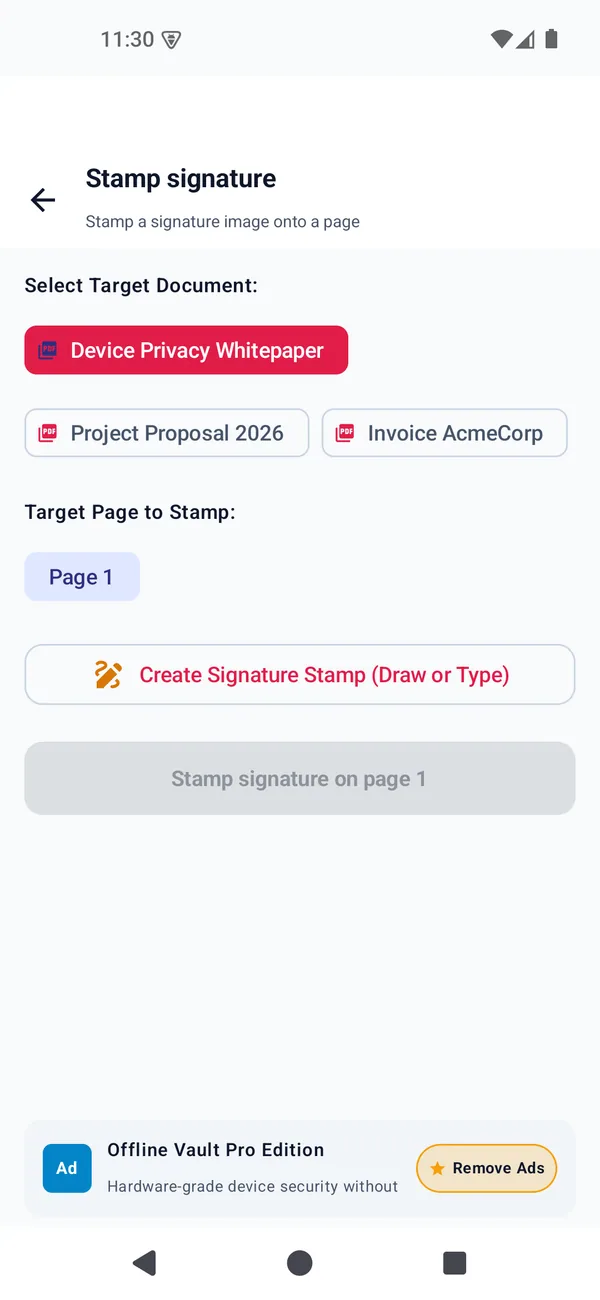
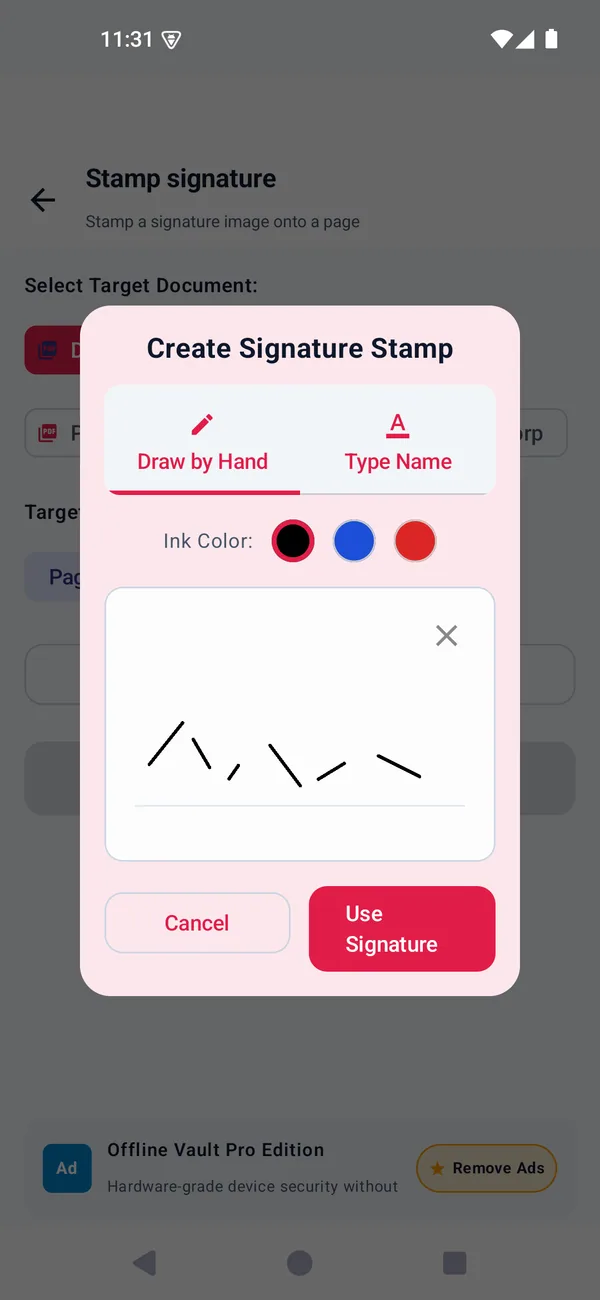
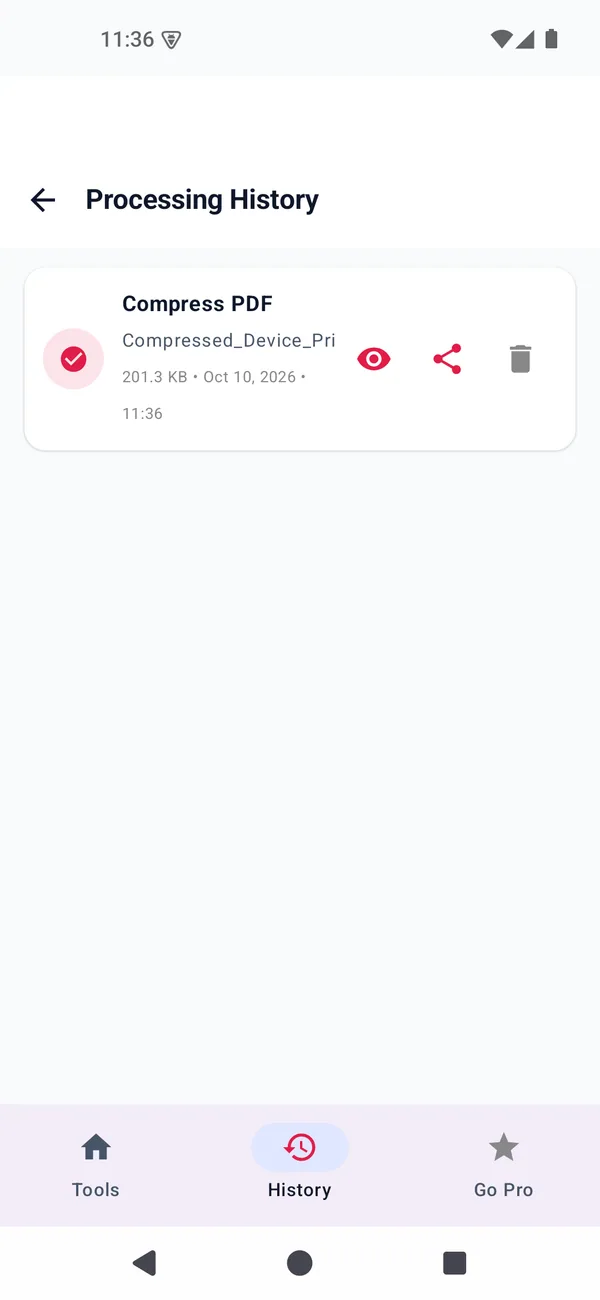
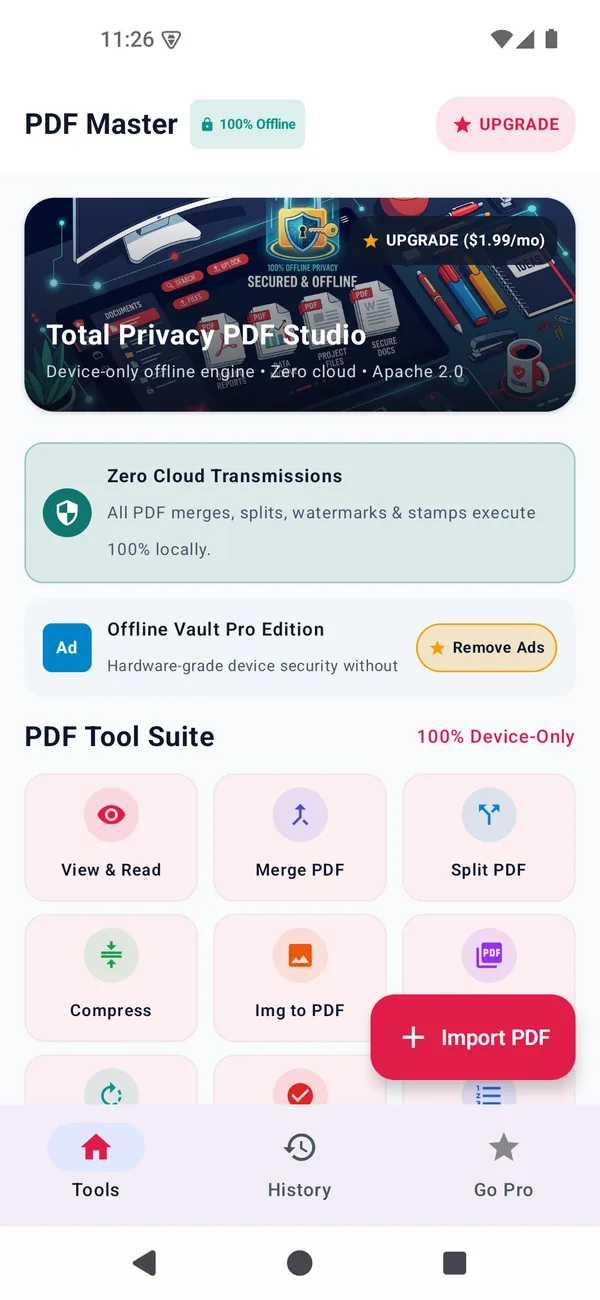
Eleven PDF tools in one Android app, every one of them running on the device. The screenshots below are the actual build on an actual emulator.
Screenshots · the real build
The Tools tab. The whole suite in one grid, one Import button, and no account screen anywhere in the app.
Captured from the app running on an Android emulator. Not a render, not a mockup.
11
PDF tools
Read, merge, split, compress, convert, rotate, watermark, numbers, sign, protect.
0
Declared permissions
Not one. The manifest has no uses-permission entry at all.
82
Automated tests
Across 11 test files — 34 of them end-to-end through the real PDF engine.
8.8 MB
Release build
Measured on disk after R8. The debug build is 27.2 MB.
The whole toolset
This is the complete list, not a selection. If a tool is not here, it is not in the app either.
Renders pages on-device with pinch-zoom and pan.
Combine files in an order you choose.
Pull out pages, or split into single files.
Rotate 90/180/270°, reorder, delete pages.
Re-encodes embedded images. Never returns a bigger file.
Photos and scans into a clean, aspect-fitted PDF.
Exports pages as high-resolution PNGs.
Diagonal text with alpha, colour and placement control.
{page}/{total} placeholders, position and start page.
Draw a signature, place it as a vector object.
Password-protect a PDF. The source file is never touched.
The honest part
You will find these limits in the app yourself, so they are here first. None of them are things we would ship and call a feature.
A scanned PDF shrinks properly. A born-digital text PDF is already about as small as it gets, so it stays the same size rather than pretending it shrank.
You can sign a document. You cannot yet draw boxes or notes in the margins — that is the next build, not this one.
Pages render as images, so you cannot select and copy text out of the page view yet. Search and outline still work.
The paywall screen draws and the tiers are chosen, but there is no payment SDK behind it — unlocking Pro is a local flag. The app's lifetime tier is $11.99 one-time, which is the model we ship. Two older monthly and annual tiers are still drawn in the build and come out before release. It ships before any store listing does.
Why there is no store button
There is no download button on this page and there will not be one until the app is actually installable. The screenshots above are the real build — but a screenshot you cannot install is not a product, and we would rather you knew that now.
Project status
On the bench
None of these exist yet, so there is nothing to screenshot and nothing to download. What is below is the problem each one attacks and the bar it has to clear before its name appears on this page.
Conversation practice that does not punish you for skipping a day. No streaks, no guilt, no leaderboard.
Ships when
Speech on-device or nothing — the same rule the PDF app lives by.
The two-person list where neither person needs to hand over their entire phone to the other.
Ships when
Works with the radio off. Sync is a convenience, never a dependency.
The small conversions people do twice a week and never find a good single-purpose app for.
Ships when
One job per app. If it needs a paragraph of explanation, it is two apps.
No mockups, no invented download sizes — a screenshot appears here when there is a real app behind it
The rule
If it needs a paragraph to explain what it is for, it is two apps. The PDF app does eleven related things; a converter app does one.
PDF Master declares zero. Every permission an app requests is a reason for a user to distrust it, so we start from zero and add only with a reason.
If our infrastructure went down tonight, every tool in PDF Master would still work. Anything that stops working is a bug, not a business model.
Automation writes most of the code. Every release is still read by a person, watched running on a device, and signed off before it goes anywhere.